Are there Grow a Garden codes?
Open the codes page first. Active, pending, expired, and rejected claims are separated to avoid fake code lists.
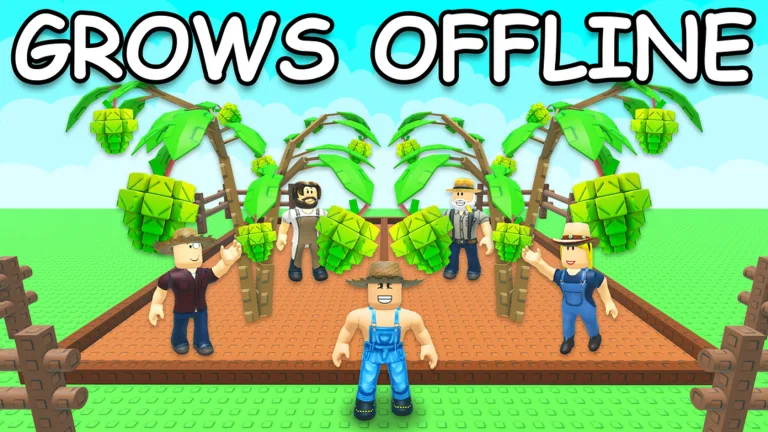
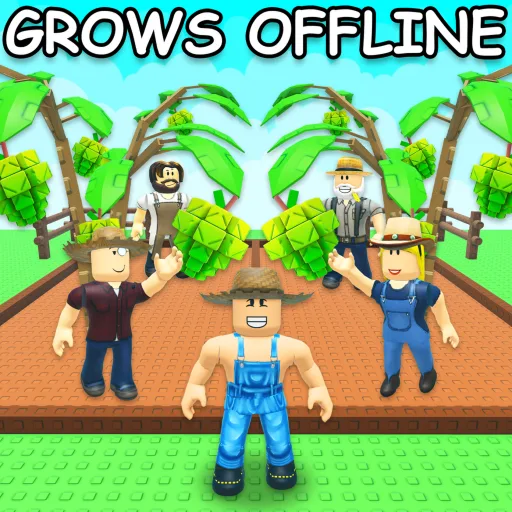
Use Grow a Garden guides for seeds, crops, pets, weather, events, codes, and money routes so garden upgrades follow clearer priorities.
Code Status
3 pending claims held for verification. Use the guide and source pages instead.
3 codes pending verification.
Quick Answers
Open the codes page first. Active, pending, expired, and rejected claims are separated to avoid fake code lists.
It may be expired, typed incorrectly, in the wrong menu, or only supported by a weak source. Use the troubleshooting page before retrying.
Claim safe rewards, identify your first blocker, then read one focused wiki page instead of copying a late-game build.
Start HerePick the option that fixes your current blocker. Rarity and tier letters are not enough by themselves.
Choose BetterNo. Bloxpedia Hub does not recommend scripts, executors, mod menus, or downloads for Roblox rewards or progression.
Stay SafeRoblox API data can be refreshed automatically. Discord channel facts require visible public channel evidence.
Track UpdatesOnly if the page cites a source that verifies them. Otherwise treat exact rates, drops, and hidden mechanics as unverified.
Check SourcesPlayer Path
Beginner
First Pick
Beginner Priority Guid
Best Next Page
Checklist Before Spend
Sources
Updates
What are you stuck on?
Start on the Grow a Garden codes page. It separates active, pending, expired, and rejected claims so you do not waste time on weak lists.
Use the beginner priority page before spending resources. It turns Grow a Garden into a small set of early decisions instead of a long random checklist.
Choose based on the problem that stops your progress now, not on rarity or social hype.
No official source is used here to recommend executors, scripts, mod menus, or downloads. Treat those as unsafe for player help.
Use the update tracker and news page when available. Bloxpedia Hub does not invent patch notes without official or reference evidence.
Screenshots use Roblox official thumbnail URLs. Videos are lazy-loaded and labeled separately.
 Watch video
 Grow a Garden Working Codes 2026
guide video. Third-party YouTube content, not an official Roblox source.
Survival Briefing
Use Grow a Garden guides for seeds, crops, pets, weather, events, codes, and money routes so garden upgrades follow clearer priorities.
Progress through Grow a Garden by following the core Roblox loop shown in the official description and source-backed wiki pages.
🍅Welcome to Grow a Garden🍅 Are you ready to grow your very own garden? Buy seeds from the shop when they restock, plant them, wait for them to grow, and collect the profits! Flex fruits and finds on friends, and have fun! [How To Plant] • Equip your seed you want to plant! • Click in your farm on the brown plots to plant! • Wait to see it start growing! • After its fully grown, it is time to harvest the goods! Remember, your garden literally grows while you are offline⭐
Player-first paths for rewards, survival, spending, updates, sources, and mod status.
3 pending claims held for verification. Use the guide and source pages instead.
5 early steps and 6 run-ending mistakes.
Use rankings before spending diamonds, resources, or time on a risky pick.
Discord and event-backed update notes, without future speculation.
Use source-backed checklists before codes, rescues, classes, and Hard Mode.
Check the game1 guide video embedded below.
Official sources8 source links shown on this page.
No official modding or script source is published here. Avoid unsafe downloads.
Source-backed route priorities, written for actual runs.
Avoid wasting codes or rare resources.
Identify what stops progress.
Spend based on need.
Refresh assumptions.
Editorial strategy based on Grow a Garden official Roblox data, current Bloxpedia Hub wiki coverage, and source-safety rules. It is not a hidden-stat dump.
Grouped so players can find the right answer without scanning every page.
Event Rewards
Grow a Garden: How to treat event rewards and limited-time claims safely.
Returning Player Refresh
Grow a Garden: What returning players should check before playing again.
Update Tracker
A Grow a Garden update tracker for checking what Bloxpedia Hub has refreshed and what still needs official channel evidence.
Update Watch
Grow a Garden: What to re-check after a Roblox update or community announcement.
Beginner Priority Guide
A beginner priority guide for Grow a Garden, focused on the first useful actions before spending currency or chasing advanced systems.
First Session Route
Grow a Garden: A safe first-session route for players who do not know what to do first.
Mobile Controls
Grow a Garden: How mobile players should approach controls and UI friction.
Checklist Before Spending
Grow a Garden: A final checklist before spending scarce resources.
Resource Spending
Grow a Garden: How to avoid wasting currency, rerolls, boosts, cosmetics, or rare resources.
Trust Rules